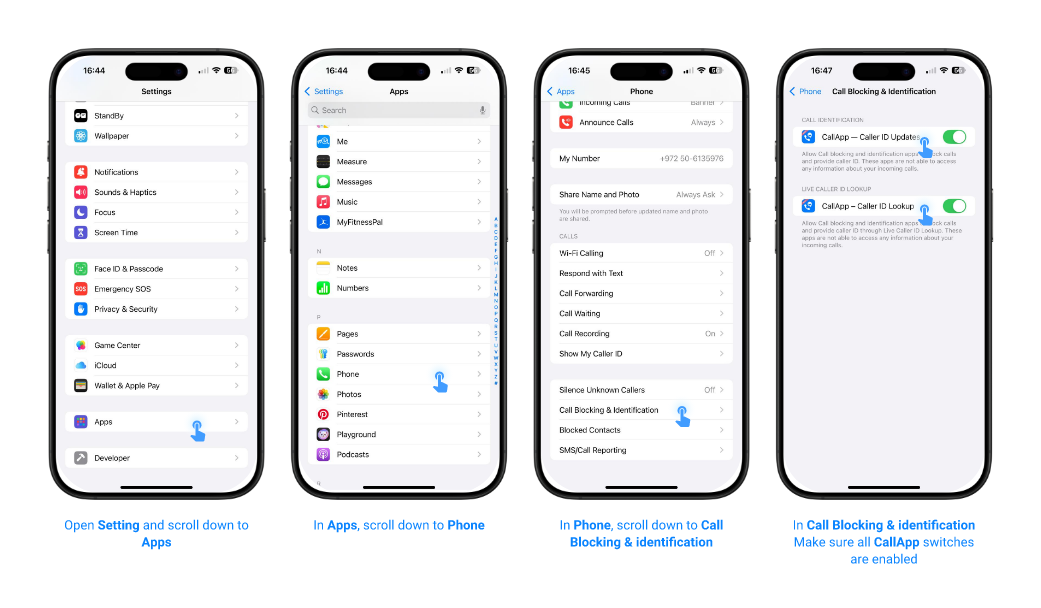
For iOS 18.2 or newer:
-
Make sure you have the latest available version of CallApp installed.
-
Make sure you have an active Premium subscription.
-
Go to iPhone Settings → Apps → Phone → Call Blocking & Identification and enable all CallApp switches.
Note: The switches may take a few moments to appear. If calls are not being identified, turn the CallApp switches off and on again.
If you receive an error message, restart your phone